
Issue, expiration and due dates
What each date means to your customer, and the shortcuts for setting them.
The Dates card on a quote holds three dates. All three print on the quote your customer sees.
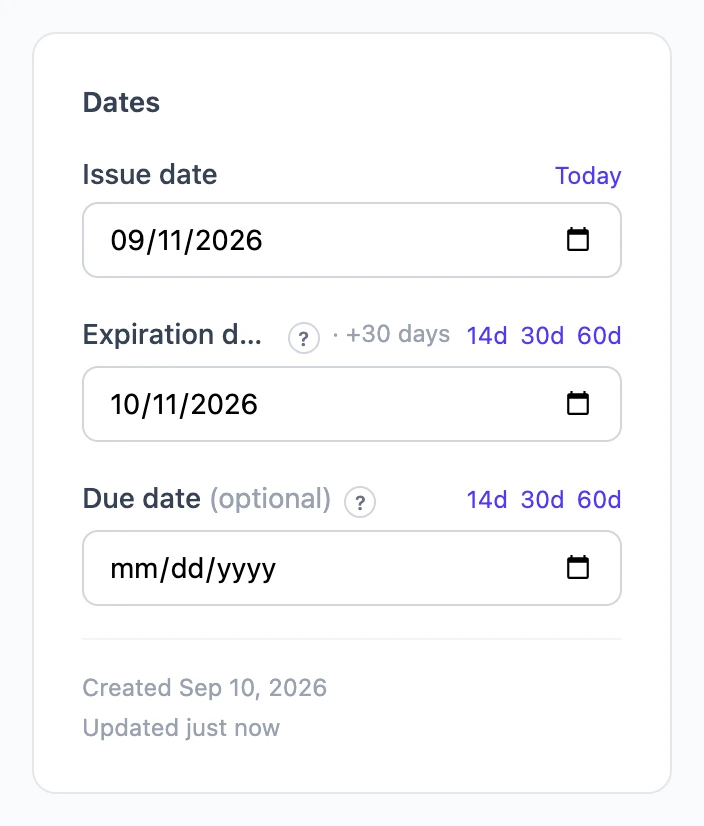
Issue date
The date the quote is made out. Today sets it in one tap. The other two dates show how many days they fall after it, such as "+30 days".
Expiration date
The last day this quote's pricing holds. The customer sees "Expires" and the date; after it, they should ask you for an updated quote. Most quotes expire 14 to 30 days after they are issued. 14d, 30d and 60d set it that many days after the issue date.
Due date
When payment is due once the customer accepts, like on an invoice. It prints as "Due". Leave it blank for a plain estimate. If you set one, match it to your payment terms: "Net 30" means 30 days after acceptance.