
Customize how quotes look
Logo, colors, layout, currency and quote numbering.
These settings are on Settings and apply to every quote your organization sends. Changing them needs an admin or owner.
Logo
Under Logo, choose Choose logo. PNG, JPG, SVG or WebP up to 2 MB; it uploads as soon as you pick it.
Layout
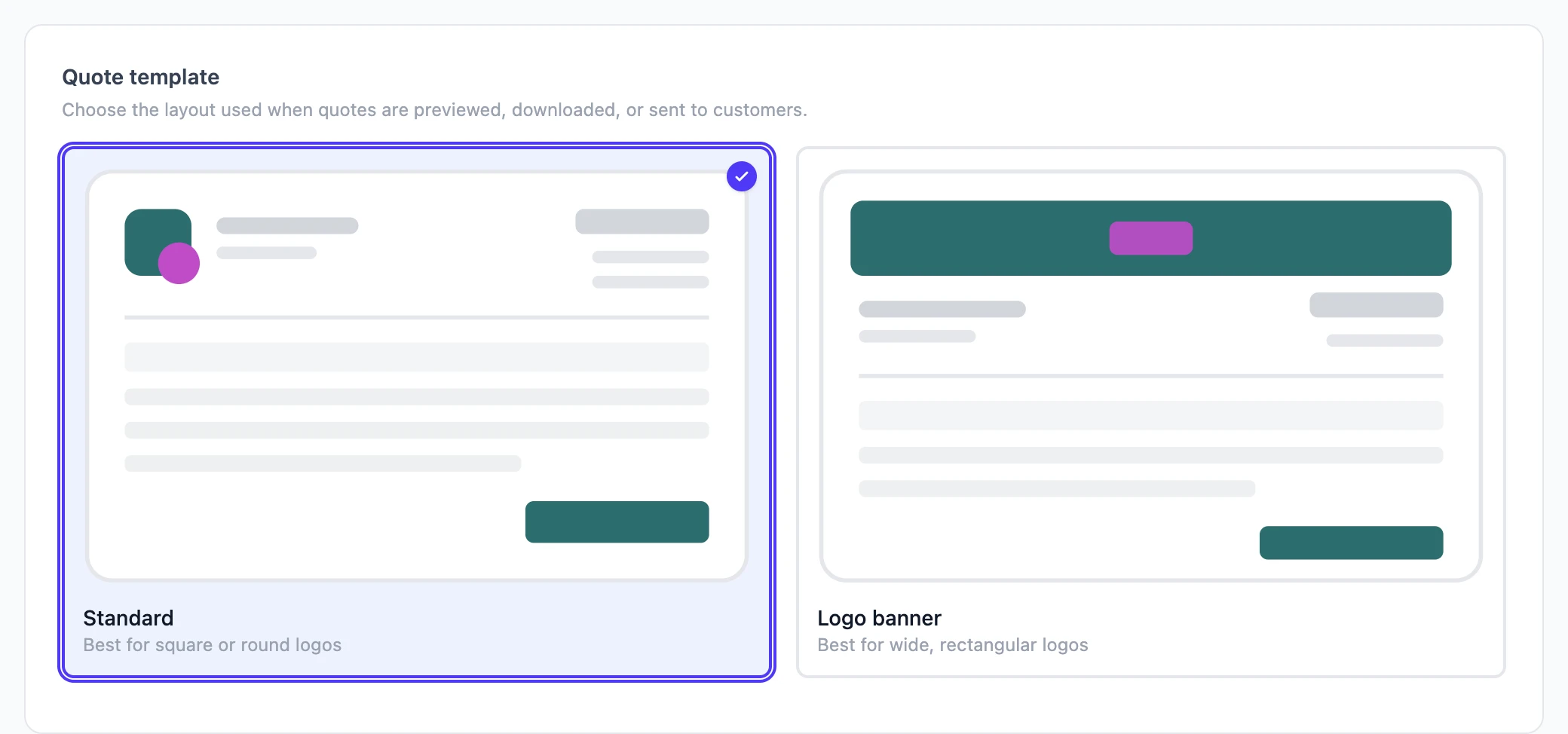
Under Quote template, pick the layout used for the preview, the PDF and the customer's page:
- Standard: logo beside your company details. Best for square or round logos.
- Logo banner: logo across the top. Best for wide logos.
Colors
Under Branding, pick a Primary color and Secondary color. The layout previews update as you choose.
Currency
Currency under Organization info is the symbol shown before every price in the app, on quotes and on PDFs.
Quote numbering
Quote numbering controls the code each new quote gets. The format can include:
YYYY,YY,MMandDD: today's date.<number>: a running number, at least three digits, that starts again each year.
For example, Q-YYYY-<number> gives Q-2026-001. The preview beside the box shows what the next code will look like. Existing quotes keep their codes.
Company details
The name, email, phone and address on the quote come from Organization info and Business address on the same page.