
Import items from a spreadsheet
Bring an existing price list into a pricebook with a CSV file.
If your prices already live in a spreadsheet, import them instead of typing them in. You see exactly what will be created before anything is saved.
Categories must already exist in the pricebook. Each row is matched to a category by name (capitals do not matter), and a row whose category is blank or does not match is skipped. Create your categories first.
Import items
- Open the pricebook and choose the import button (the downward arrow beside New item).
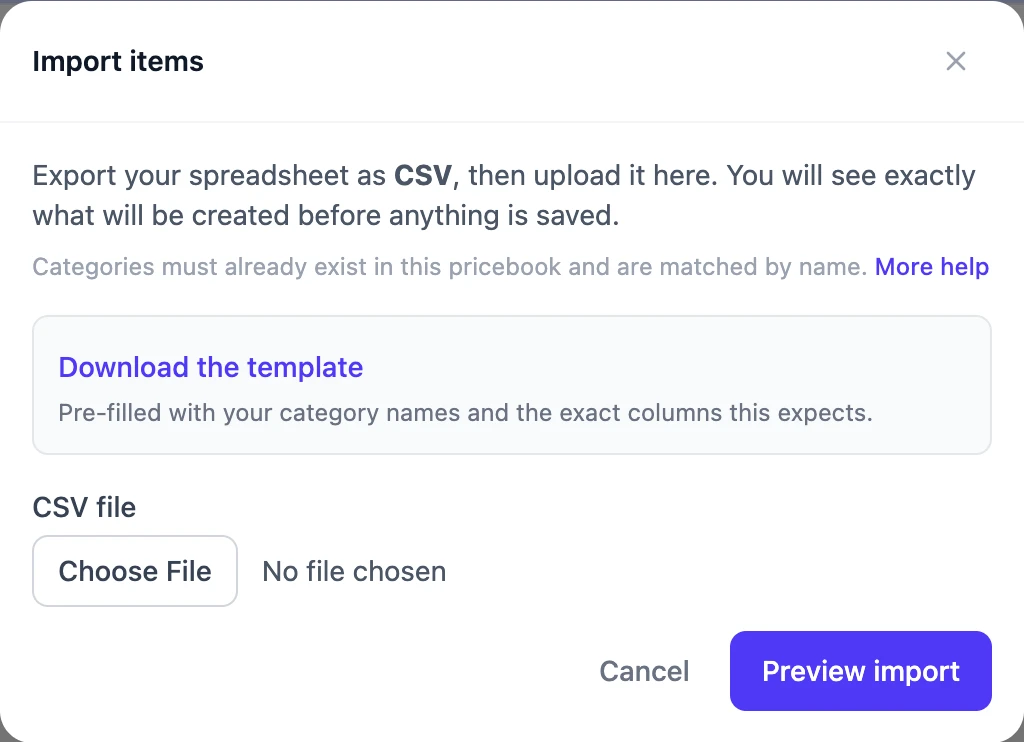
- Choose Download the template. It has the right columns and is pre-filled with your category names.
- Fill it in, or paste your own data into its columns, then save it as CSV. In Excel: File → Save As → CSV. In Google Sheets: File → Download → Comma-separated values.
- Back in Prycebook, choose the file and select Preview import.
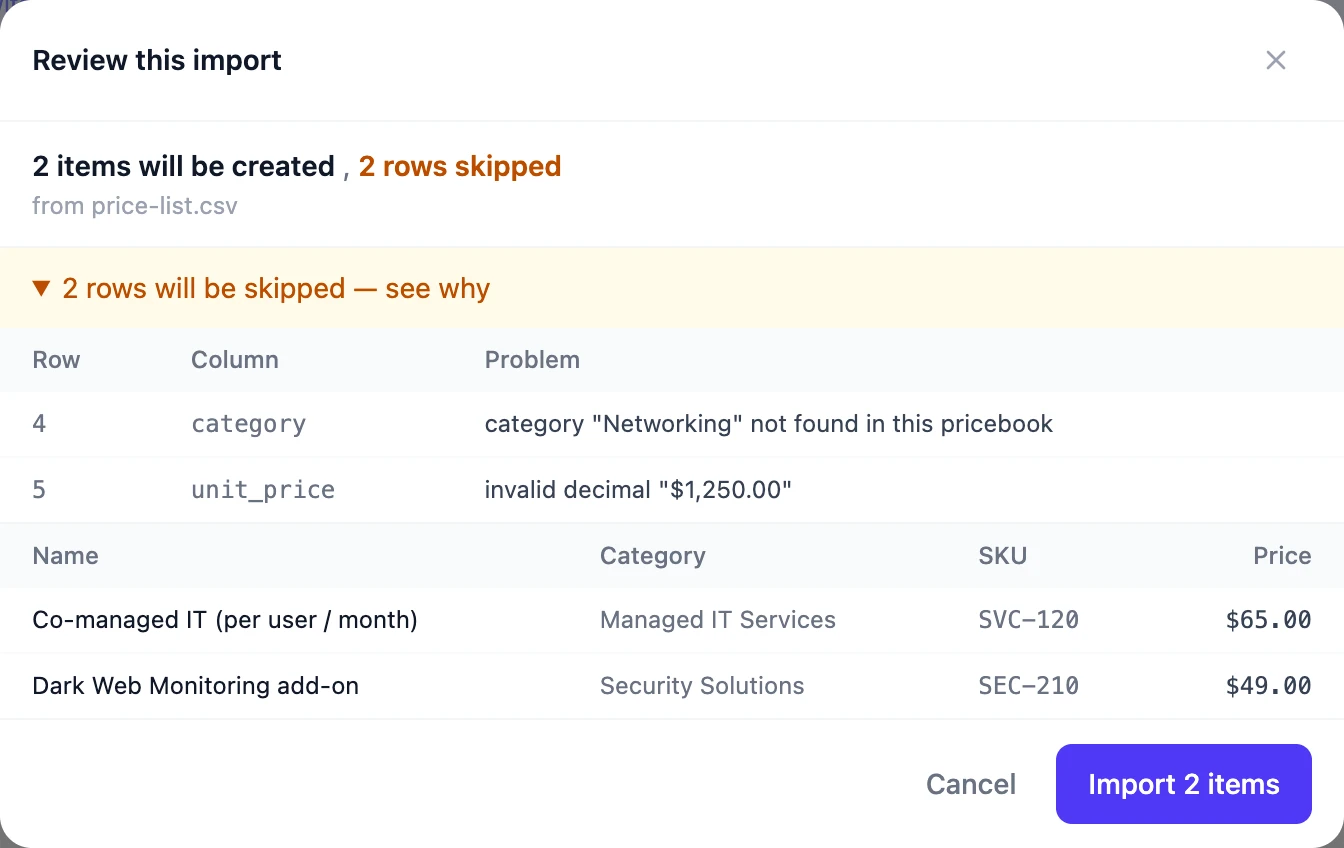
- Check the preview. It lists every item that will be created and, if some rows cannot be imported, how many and why.
- Choose Import to create the items.
Columns
| Column | Required | What goes in it |
|---|---|---|
| name | Yes | The item name. |
| category | Yes | The name of an existing category in this pricebook. |
| sku | No | The supplier's stock number. |
| description | No | A longer description. |
| unit_price | No | The price, as a plain number like 125.00. |
| cost | No | What the item costs you, as a plain number. |
If rows are skipped
Open rows will be skipped — see why in the preview. Each problem names the spreadsheet row and column. You can import the good rows now and fix the rest in a second file, or fix everything and upload again.
Common problems
| The message says | What to do |
|---|---|
| category "…" not found in this pricebook | Check the spelling against your category names, or create the category in Prycebook and upload again. |
| category is required | Fill in the category column on that row. |
| name is required | Fill in the name, or delete the row. Blank rows at the end of a spreadsheet cause this too. |
| invalid decimal "…" | Prices and costs must be plain numbers like 1250.00. Remove currency symbols and thousands separators: $1,250.00 is not accepted. |
| too many decimal places | Round prices to cents, like 12.50 rather than 12.499. |
| missing required column "name" | The first row must be the column headings. Start from the template, or rename your heading to name. |
| That file is too large | Files can be up to 4 MB. Split the spreadsheet into two files and import each. |
A file saved as .xlsx cannot be imported; save it as CSV first.
Importing always creates new items; it never updates existing ones. Importing the same file twice gives you two of everything.
Export a pricebook
To get items out, open the pricebook's More actions menu (⋮) and choose Export CSV.
Still stuck? Open a support ticket and we will reply by email.