
Change many items at once
Tag, move, reprice or delete a selection of items in one go.
Selecting items lets you change dozens of them in one step, such as raising every price by 5% at the start of the year.
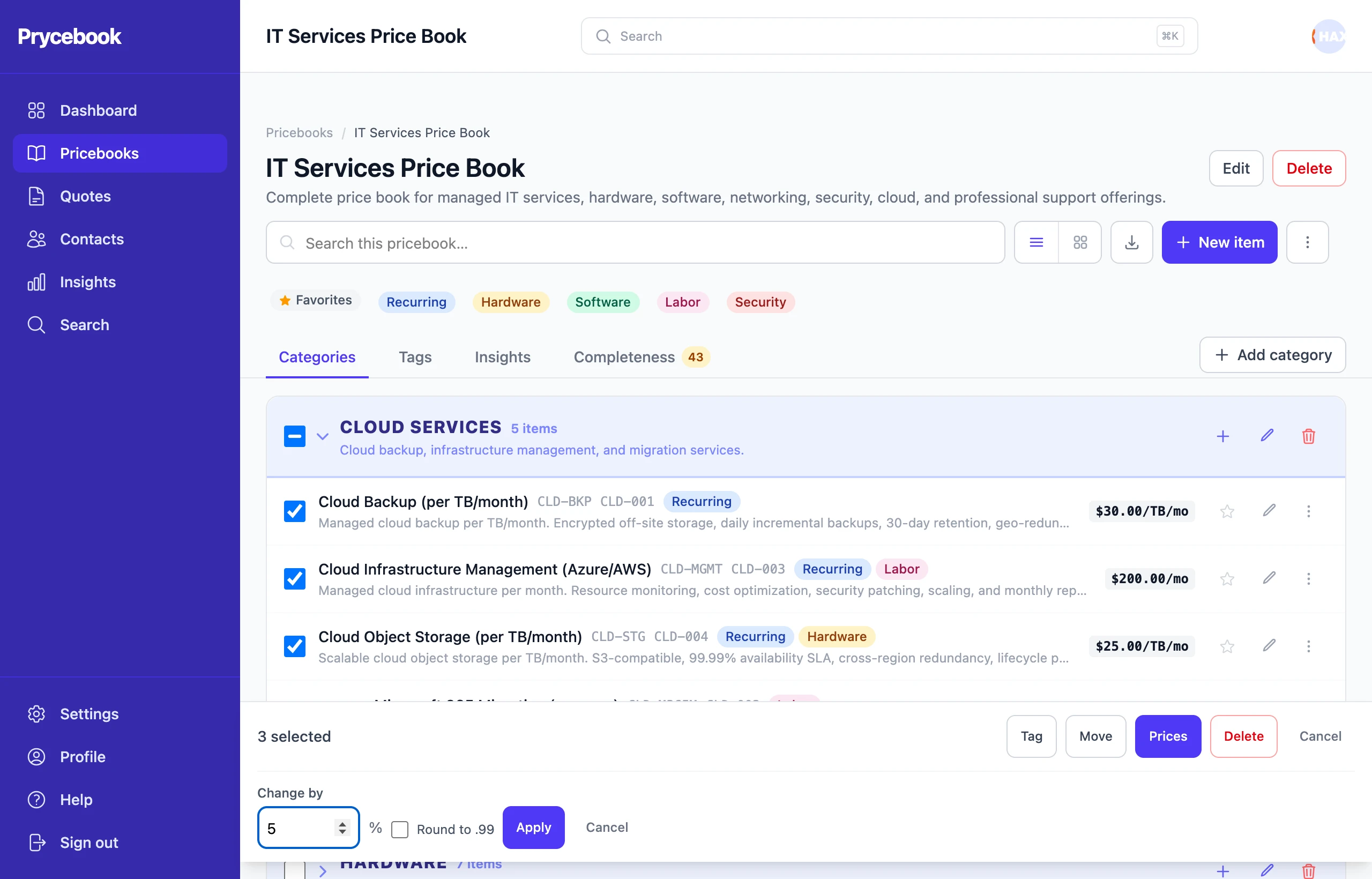
Select items
- Open the pricebook, then choose Select items from the More actions menu (⋮).
- Tick the items you want. The checkbox on a category header selects every item in it.
A bar at the bottom of the screen shows how many items are selected and what you can do with them. Cancel leaves selection mode.
Raise or lower prices
- Choose Prices.
- Under Change by, enter a percentage:
5raises prices by 5%,-10lowers them by 10%. - To get prices like 49.99, tick Round to .99. You can also round without changing the percentage.
- Choose Apply.
Add or remove a tag
Choose Tag, pick the tag, then Add or Remove.
Move to another category
Choose Move, pick the category, then Move.
Delete
Choose Delete and confirm. Quotes the items are already on do not change.
Still stuck? Open a support ticket and we will reply by email.