
API and webhooks
Connect Prycebook to your other tools.
The Prycebook API lets other software read your pricebooks, items and quotes, and keep a CRM's customer list in sync with your contacts. Webhooks tell your software the moment something happens, like a quote being accepted. Admins and owners set both up from Settings → Developers.
Create an API key
- Enter what the key is for, like "HubSpot sync", and choose which permissions it has.
- Choose Create key.
- Copy the key and store it somewhere safe. It is shown only once.
Anyone with a key can use it as your organization. Lost a key, or someone left who had it? Revoke it and create a new one; anything using the old key stops working immediately.
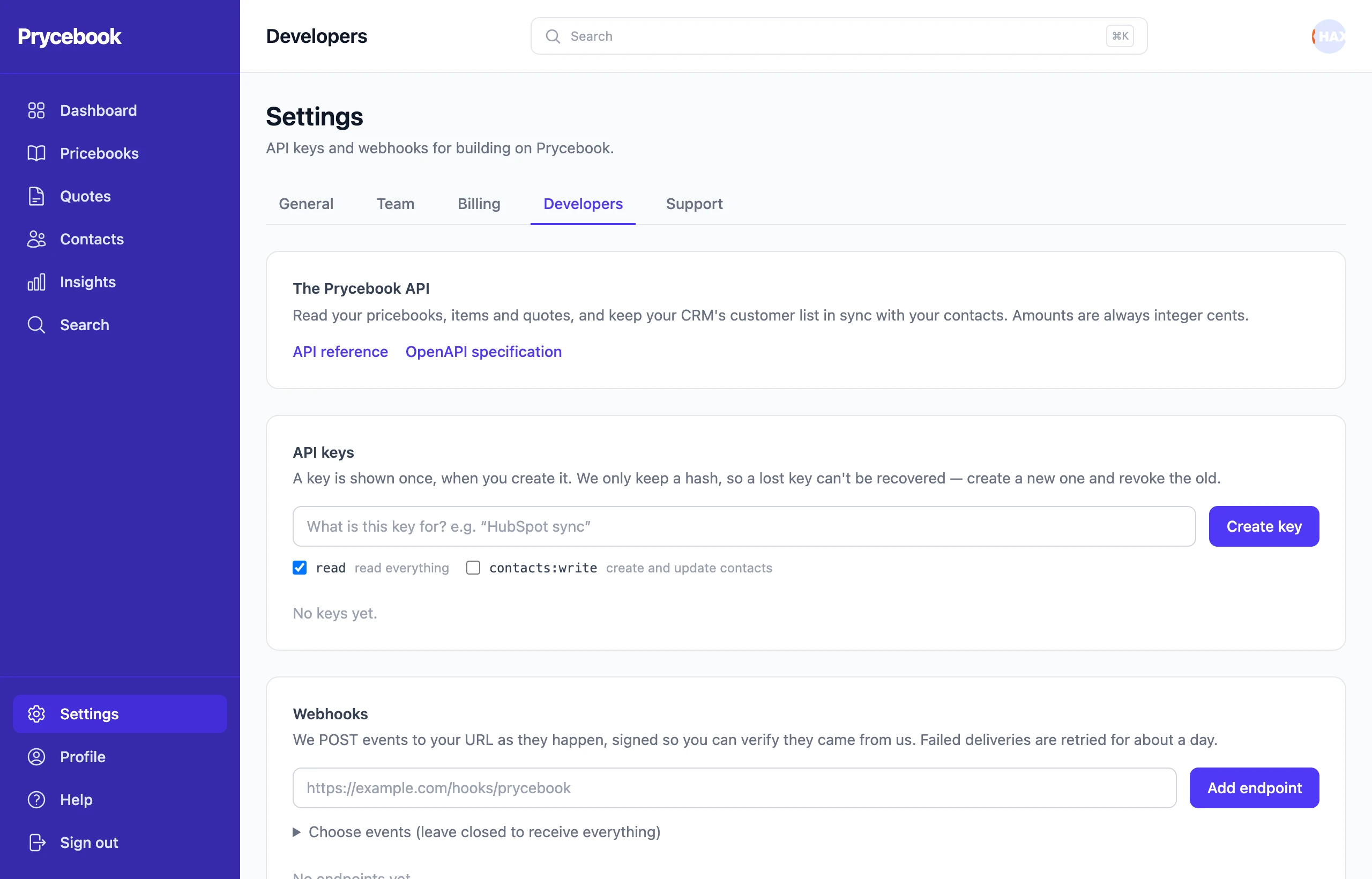
Add a webhook
- Enter the URL that should receive events and choose Add endpoint.
- To receive only some events, open Choose events first and tick them.
- Send a test event to check your endpoint is listening.
Every delivery is signed so you can verify it came from Prycebook, and failed deliveries are retried for about a day. Each endpoint's delivery log shows what was sent and lets you resend.
API reference
The full reference, with every endpoint and field, is at API reference.
Still stuck? Open a support ticket and we will reply by email.