
Your profile and preferences
Change your name, password or dark mode, replay tutorials, and install the app.
Everything on Profile applies to you only, not the rest of your organization.
Change your name
Edit Display name under Personal information. It is what your teammates see in activity feeds.
Change your password
- Under Change password, enter your current password.
- Enter the new one twice and save.
Forgotten it entirely? Sign out and use Reset password on the sign-in page.
Dark mode
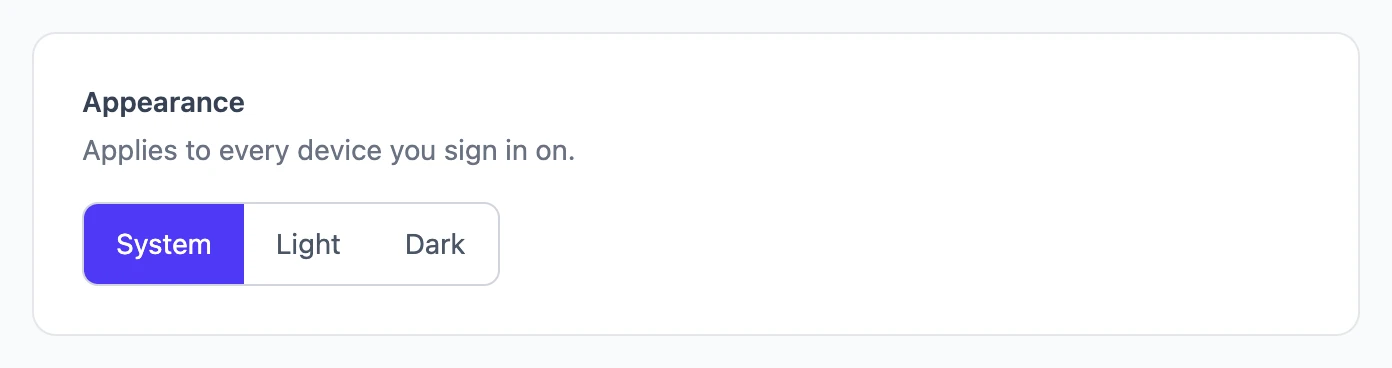
Under Appearance, choose Light, Dark, or System to follow your device. The choice follows you to every device you sign in on. Quotes your customers see, and PDFs, always stay light.
Replay the tutorials
Under Tutorials, choose Replay tutorials. Each screen's walkthrough plays again the next time you open it.
Install on your phone
Prycebook can live on your home screen and open full-screen like any other app.
- Android and Chrome: an Install app card appears on your profile when your browser supports it. Tap Install Prycebook.
- iPhone and iPad: in Safari, tap the Share button, choose Add to Home Screen, then Add.
Still stuck? Open a support ticket and we will reply by email.